SeaTulane

SeaTulane at a Glance
SeaTulane is a collaborative seat-booking prototype that helps Tulane students locate, reserve, and manage study spaces across Howard-Tilton Memorial Library. The system brings live capacity tracking, interactive floor maps, and booking controls into one experience so students can stop guessing whether a seat will be available before they arrive.
Motivation & Research
- Crowding and wasted trips: 8 in-depth interviews revealed recurring stories of students circling floors or texting friends to verify availability before commuting to campus.
- Need for transparency: A survey of 27 students showed strong demand for a capacity tracker that surfaces real-time seat counts by floor and clarifies noise levels.
- Accountability & fairness: Participants wanted a way to release unused seats quickly and to prevent double-booking, particularly during midterms when demand surges.
Core Experience
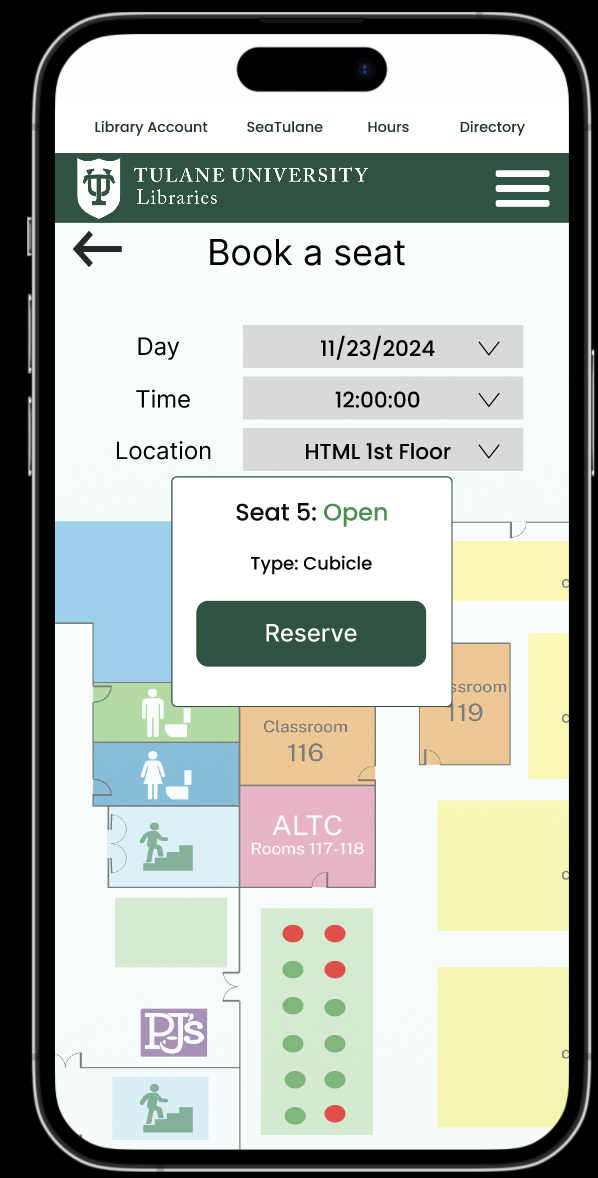
- Capacity tracker: A live heatmap displays availability across floors, highlights crowding trends, and lets students filter by preferred amenities.
- Seat reservation flow: Students can inspect seat details, see status indicators, and reserve spots with guardrails that block already-claimed seats.
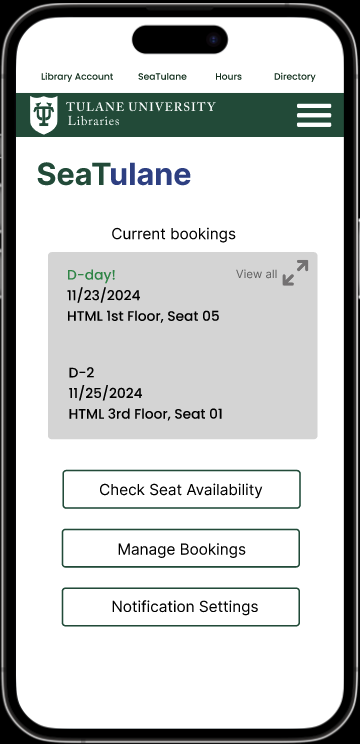
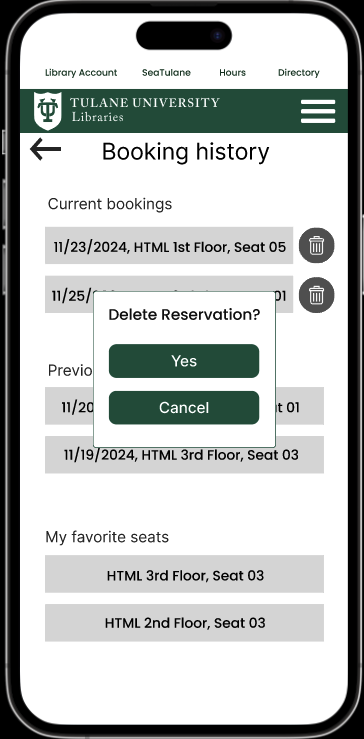
- Booking management: “My bookings” consolidates upcoming, past, and favorite seats with inline actions to edit or cancel reservations on the fly.
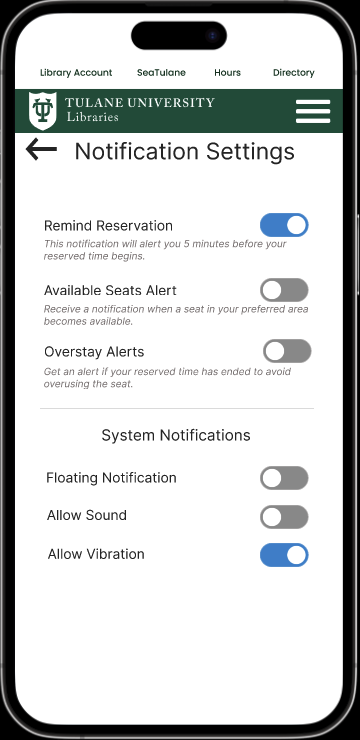
- Notification preferences: Learners opt into reminders and alerts so they never lose track of reservations or floor-wide changes.
Design Process
- Discovery: Conducted interviews and surveys to map commuters’ routines, preferred study floors, and pain points when crowds peak.
- Modeling: Synthesised insights into personas, journey maps, and scenarios that emphasised noise preferences, collaboration needs, and travel time.
- Prototyping: Sketched seat maps, storyboards, and low-fidelity flows before building a high-fidelity Figma prototype with interactive overlays.
- Evaluation: Ran heuristic reviews and user walkthroughs that exposed issues such as ambiguous booking labels and the need for prominent password reset paths—each addressed in the final iteration.
Outcomes & Next Steps
- Clarified key actions (e.g., “Current Bookings”) and added confirmations around destructive actions to reduce misclicks observed during testing.
- Highlighted password recovery and introduced time limits on reservations to keep the system fair during peak weeks.
- Future work includes integrating real sensor feeds for capacity data and piloting with library staff to refine moderation and no-show policies.